


















Balfour Beatty consolidates takeoffs and estimates into 1 platform

Auto-map, measure, and label blueprints. Assign historical cost data to quickly generate accurate estimates. Easily create alternates. Input & level subcontractor bids. Collaborate in real-time.
 50%
50%
Less time spent on estimates
 $75,000
Average savings per project
 30%
30%
Faster cost analysis
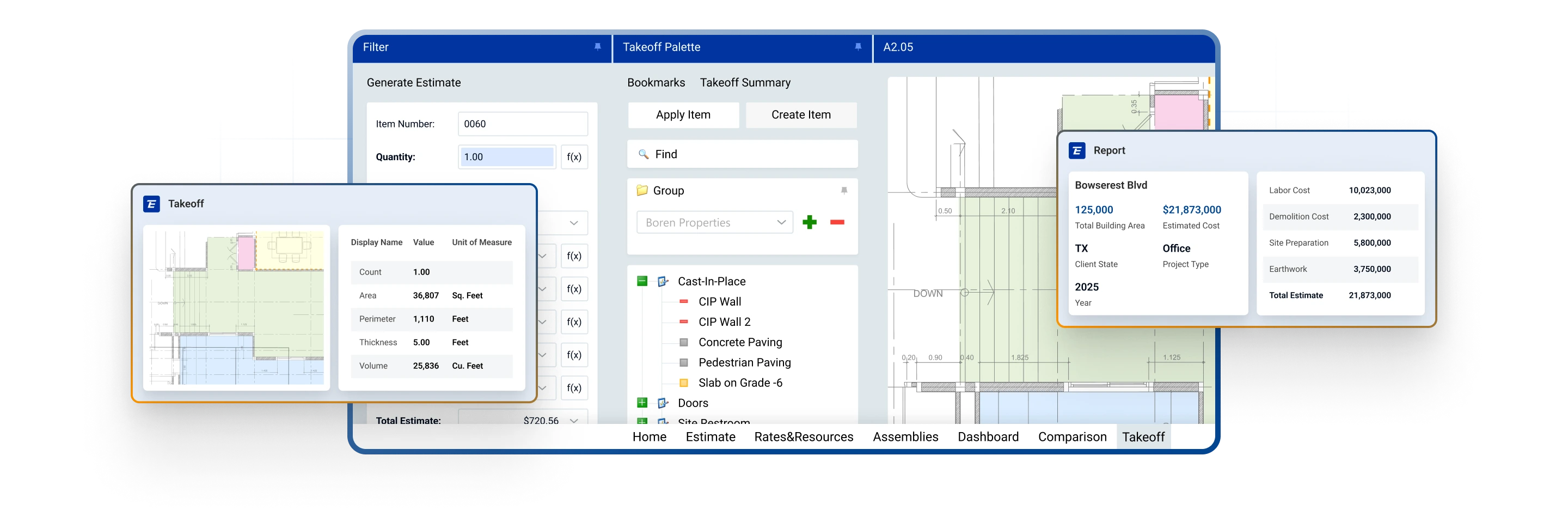







Generate quantities faster with AI-assisted takeoff that detects, counts, measures, and organizes drawing information. Estimators stay in control with reviewable quantities that can connect directly into estimating workflows.
.png)
Build estimates using connected quantities, cost history, assemblies, labor, materials, fees, alternates, and assumptions—so every number is easier to update, explain, and defend.
.png)
Use historical project data to benchmark future work, validate assumptions, and create more consistent estimates across teams, offices, and project types.
.png)
Connect 2D and 3D design information to cost analysis so teams can visualize scope, validate quantities, and identify gaps earlier in preconstruction.
.png)
Compare subcontractor bids side by side, normalize scope, evaluate alternates, and connect bid decisions back to the estimate.
.png)
Turn estimate and project data into actionable visibility for preconstruction leaders, executives, and project teams with dashboards and flexible reporting.
.png)
Enable multiple team members to work together in the same estimate, reduce bottlenecks, and improve alignment across estimating, operations, and leadership.
.png)
Track estimate changes, manage user permissions, and preserve decision history to support accountability, governance, and bid-day confidence.
.png)
Select product type: commercial, residential, etc. Input square footage, location, budget, and other info. Or auto-fill with historical project data.
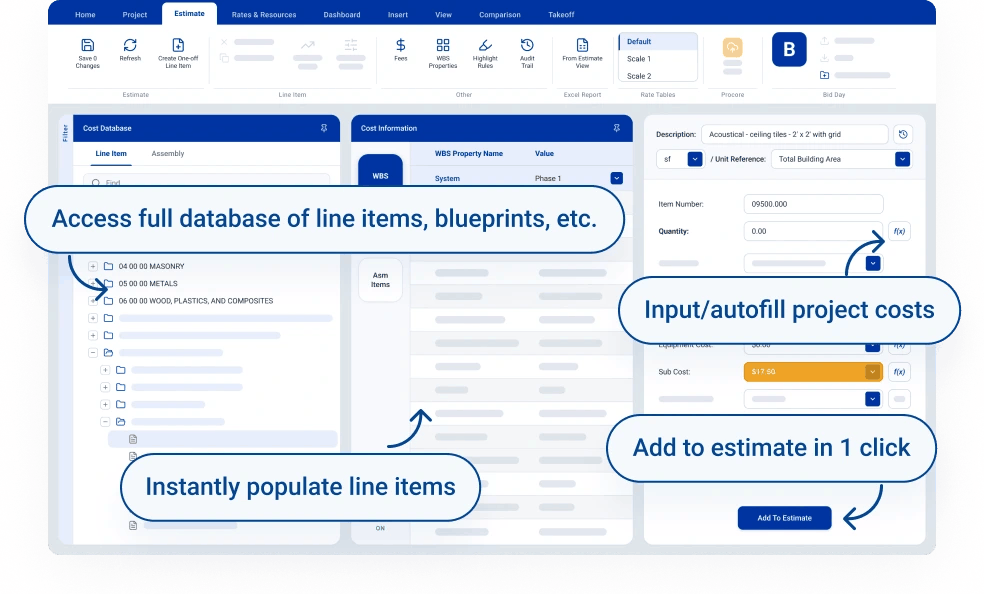
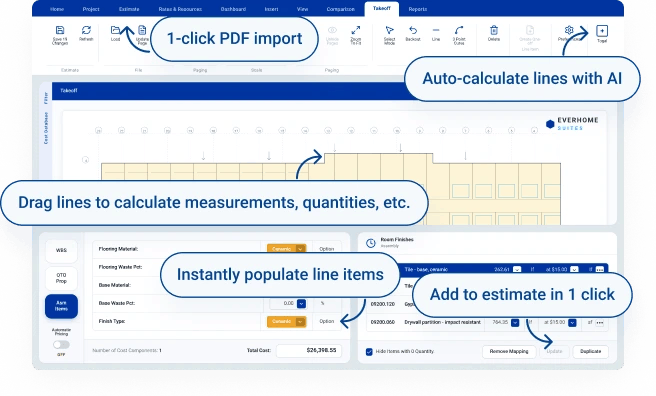
Upload project PDFs. Auto-detect lines, rooms, labels, and more. Easily assign materials. Instantly calculate quantities. Generate full takeoffs in a couple of clicks.
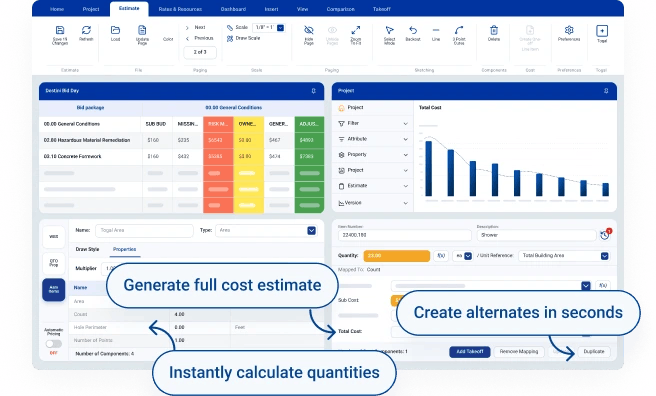
Generate estimates from labor costs, historical data, subcontractor bids, and more. Create alternates by dragging and dropping cost items, adjusting pricing, etc. Bid faster and win more jobs.
Integrations
Get faster 2D & 3D takeoffs. Track project progress. Centralize comms. Build reports.

Reviews

Having takeoffs and being able to do everything in one program, it's a one-stop-shop. Amazing.

Great for productivity! It’s much more flexible than many software systems we have used in the past.

The historical cost databases, detailed line estimate reports, and takeoffs really add value to our department.

Exceptional. Helped us employ best practices for database management, assembly creation, and data flow.